PokeSurvivor Mobile: Play on iPhone and Android in Your Browser
By: PokeSurvivor Fans · Last updated:
Short answer: yes, PokeSurvivor works on iPhone, iPad and Android in Safari or Chrome. There is no app to install. Hold the phone in landscape, drag to move, and add it to your home screen if you want an app-like icon.
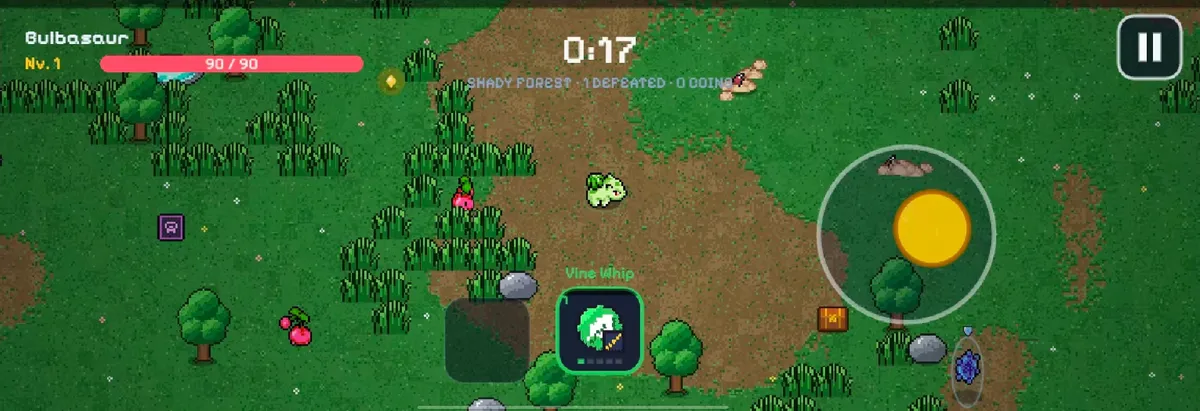
This page covers setup, touch controls, saving, fixes for common problems and what doesn’t work on mobile. Sources: the official guide and news page, checked 2026-10-14.
Play in your mobile browser
- Open pokesurvivor.com/en/ in Safari (iPhone/iPad) or Chrome (Android).
- Turn your phone to landscape. The game shows a “Rotate your phone” prompt in portrait.
- Log in if you want a cloud save. As a guest, nothing is saved outside that browser.
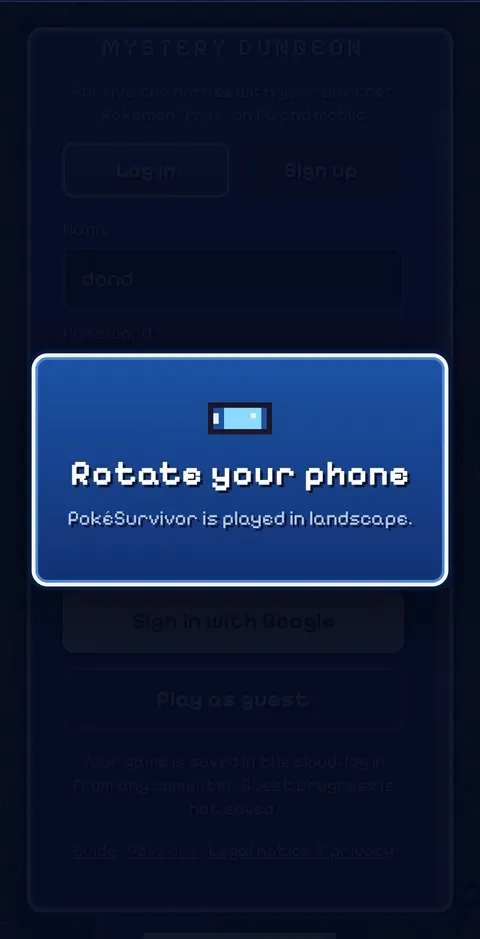
On a phone, open the official site in its own tab (the button above) rather than our home-page embed. Fullscreen landscape works better there, and login is more reliable. iPhone fixes shipped on 2026-10-12, so update Safari and reload if you had problems before.
Touch controls
- Move: drag anywhere on the screen. A joystick appears where you touch.
- Switch moves: tap a move icon.
- Pause: the button in the top-right corner.
Your partner attacks on its own, so one thumb on the joystick is enough most of the time. For level-up cards and your first run, see how to play PokeSurvivor.
Add it to your home screen
The site supports home-screen install, so you get an app-like icon that opens fullscreen in landscape.
iPhone / iPad (Safari)
- Open pokesurvivor.com/en/ in Safari.
- Tap the Share button.
- Tap “Add to Home Screen”, then “Add”.
Android (Chrome)
- Open pokesurvivor.com/en/ in Chrome.
- Tap the three-dot menu.
- Look for “Add to home screen” or “Install app” (you may need to scroll the menu). In some Chrome versions it’s under “Share”, and phone brands that use their own browser put it in a different menu.
- Confirm. If you’re asked to choose, “Install” gives the fullscreen, app-like version; “Create shortcut” is just a bookmark icon.
The icon still runs the online game, so co-op, cloud saves and game updates work as normal.
Saving progress on iPhone and Android
Log in with an account (name and password, or Google) and your save is in the cloud, shared between phone and PC. As a guest, progress stays in one browser only.
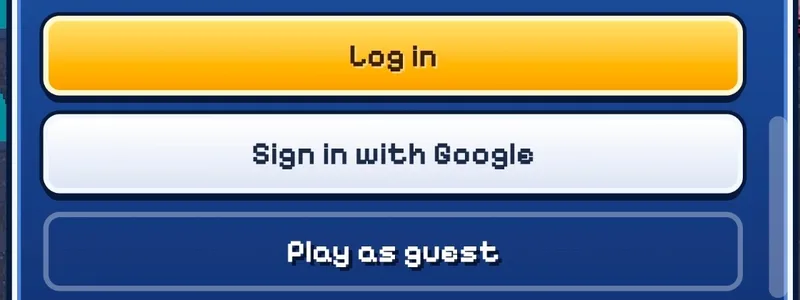
On iPhone this matters more than it seems. iOS keeps the Safari tab and a home-screen icon in separate storage, so a guest run started in Safari won’t show up in the icon, and the other way round. Safari can also clear site data for sites you haven’t opened in a while. If you plan to play more than once, log in first.
PokeSurvivor not working on your phone? Quick fixes
These are general browser fixes, not an official troubleshooting list from the developer.
| Problem | Try this |
|---|---|
| Stuck on “Rotate your phone” | Turn off rotation lock (Control Center on iPhone, quick settings on Android), then turn the phone sideways. |
| Black screen or the game won’t load | Reload, update Safari or Chrome, and turn off content blockers for pokesurvivor.com. |
| Login or Google sign-in fails | Open the official site in Safari or Chrome, not inside our embed or an in-app browser. |
| Opened from Discord, Instagram or WeChat | In-app browsers can block fullscreen and login. Use “Open in browser” from the app’s menu. |
| No sound | Check the silent switch or ringer volume, then tap the screen once; mobile browsers only play sound after a touch. |
| Lag or low frame rate | See the next section. |
Lag or low frame rate
The game’s Settings screen has a graphics quality option with an automatic mode, plus options for damage numbers, reduced screen shake and an FPS counter (per the developer’s README and news post of 2026-10-09). The developer doesn’t describe these as phone fixes. Our suggestion if a run stutters: try a lower graphics quality or the automatic mode first, close other tabs, and turn off Low Power Mode or battery saver, which can throttle the browser.
Co-op on mobile
Co-op uses the same online version, so you can play with friends from a phone, including friends on PC in the same room. The host should keep the game tab in front, since switching apps pauses the run for everyone. Full steps are in the PokeSurvivor co-op guide.
Offline download is single-player only
The developer’s offline zip on itch.io is solo only and saves in your browser. Co-op, cloud saves and leaderboards need the online version. It is opened via an index.html file, which is awkward on phones, and whether it works on mobile isn’t confirmed. Stick to the browser.
Is there a PokeSurvivor app or APK?
Not as far as we know. We found no official PokeSurvivor app on the App Store or Google Play, and no official APK. The developer doesn’t mention one on the official site, itch.io or GitHub; what they offer is the browser version and the home-screen install above. Be careful with app-store listings or APK files using the name: as far as we know, they aren’t from the developer, and you shouldn’t enter your login in them.
Next steps
- New to the game? Start with how to play PokeSurvivor.
- Not sure which partner to take? See the best starter guide or the tier list.
- Ready for legendaries? Read the rifts guide; rifts work the same on a phone.
FAQ
Does co-op work on mobile?
Yes. Co-op runs in the same online version, so you can create or join a room from your phone, and phone and PC players can share a room. Setup steps are in our co-op guide.
Why did my progress disappear on iPhone?
Most likely you played as a guest. Guest saves live only in one browser, and on iPhone the Safari tab and the home-screen icon keep separate storage. Log in with an account to keep your progress in the cloud.
Does PokeSurvivor work in the Discord, Instagram or WeChat browser?
In-app browsers often block fullscreen, rotation or Google login. If the game misbehaves there, open the link in Safari or Chrome instead.
Can I play PokeSurvivor on an iPad or Android tablet?
Yes. Tablets use the same touch controls and landscape layout as phones, with a bigger view of the field.
Is there a PokeSurvivor crypto token?
No. The official site says there is no official crypto or token.